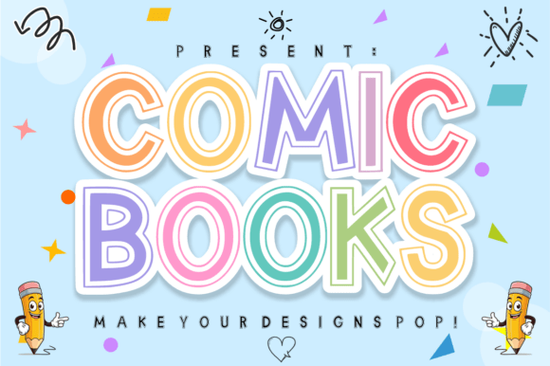
If you are looking for a typeface that instantly grabs attention on t-shirts, party banners, or children’s activity books, the Comic Books Font delivers exactly that energy. This display lettering uses a distinctive double-outline structure combined with hollow center details, which creates a natural space for color blocking and layered effects. Designers often choose it when they need playful typography that still reads clearly at smaller sizes. Crafters and print-on-demand sellers appreciate how the cutout centers catch light on glossy materials, making custom mugs, tote bags, and vinyl decals stand out without needing heavy background graphics. The style feels nostalgic yet modern, which works well for kid-focused branding, educational worksheets, or casual event invitations.
Why does double-outline lettering work so well for children’s content?
Visual hierarchy matters more than many creators realize when targeting young audiences. The thick outer strokes keep the letters readable from a distance, while the inner negative space prevents the design from feeling too heavy. When you fill those hollow areas with bright contrasting colors, the result mimics the hand-lettered feel of vintage comic panels without the labor of tracing each character manually. This technique also reduces ink usage on direct-to-garment prints because the solid black outlines frame colored sections rather than requiring full fills. Small business owners frequently pair these bold shapes with simple illustrations, leaving plenty of room for artwork to breathe. The font maintains consistent spacing and proportions, so multi-word quotes stay balanced on packaging labels or sticker sheets.
How can print-on-demand creators apply this style to physical products?
Sellers working with platforms like Printful or Redbubble need files that scale cleanly across different product bases. Since this lettering relies on stroke weight and negative space, it translates well to embroidery where thread density follows the outer paths, and to screen printing where registration lines stay sharp. If you export vector outlines, the hollow centers become natural drop-clipping zones for gradient fills or pattern overlays. You can easily stack multiple colors behind the base shape to create a subtle shadow effect, which adds depth to iron-on transfers or laminated planners. For digital downloads, offering both filled and outlined versions gives buyers flexibility. Many crafters also resize the text to fit sublimation blanks, knowing the clean geometry prevents jagged edges when enlarged.
Which other display typefaces complement this layout approach?
Building a cohesive typography family helps maintain brand consistency across campaigns. If your project requires softer curves alongside this structured alphabet, pairing it with a rounded script like the one found in Oopsy Doodle creates a nice contrast between playful headers and handwritten notes. For rustic or textured backgrounds, a slightly weathered option such as Dusty adds grounded warmth without fighting for attention. When laying out product listings or ebook covers, mixing this bold style with clean geometric letters like Simple Stacked keeps information readable while preserving visual interest. Sellers working with vintage-themed collections sometimes merge clean sans-serifs with playful scripts like those discovered in Barbie Vintage to capture mid-century amusement park signage or nostalgia-driven streetwear aesthetics. Testing three to four fonts side by side during the mockup phase reveals which combinations actually improve click-through rates instead of cluttering the layout.
What steps should I follow before printing or uploading?
Preparing commercial-ready artwork takes just a few minutes but prevents costly revision loops later. Run through this quick workflow to ensure your files match production standards:
- Convert all text to outlines before exporting PDFs or SVGs so spacing never shifts during printing.
- Check minimum stroke width by zooming to 100 percent; anything thinner than 0.5 mm may break on heat press transfers.
- Test color separation by placing the design on a white and a dark background preview to confirm contrast levels.
- Verify licensing terms for digital storefronts, focusing on merchandise limits and resale thresholds.
- Export at 300 DPI minimum for raster files used in banner ads or social media thumbnails.
Keep a master template folder organized by product category so you can swap headlines quickly during seasonal drops. Most graphic software allows you to save style presets for outline thickness and color fills, which cuts down repetitive manual adjustments. Once your library builds up, sourcing variations becomes straightforward. You can explore additional character sets and alternate glyphs by searching the original Comic Books Font catalog page. Try arranging test phrases on actual product mockups before committing to bulk orders, since screen brightness often distorts how colors appear on fabric or paper.
Get Started Design & Print Projects Using Juicy Lemon Font
 Sunday Bright: a Font for Creative Designs & Projects
 A Versatile Font for Fun & Friendly Projects
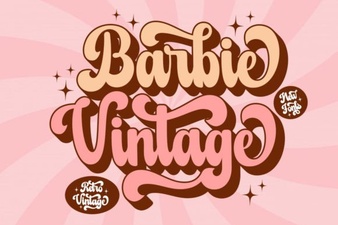 Vintage Barbie Fonts for Your Creative Projects
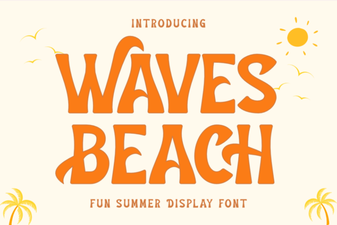 Download Waves Beach Font for Coastal Web Design
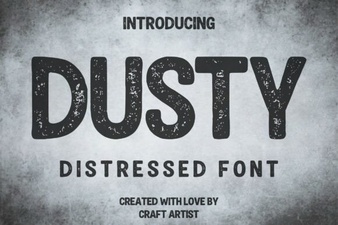 Dusty Font Projects for Artistic Designs